
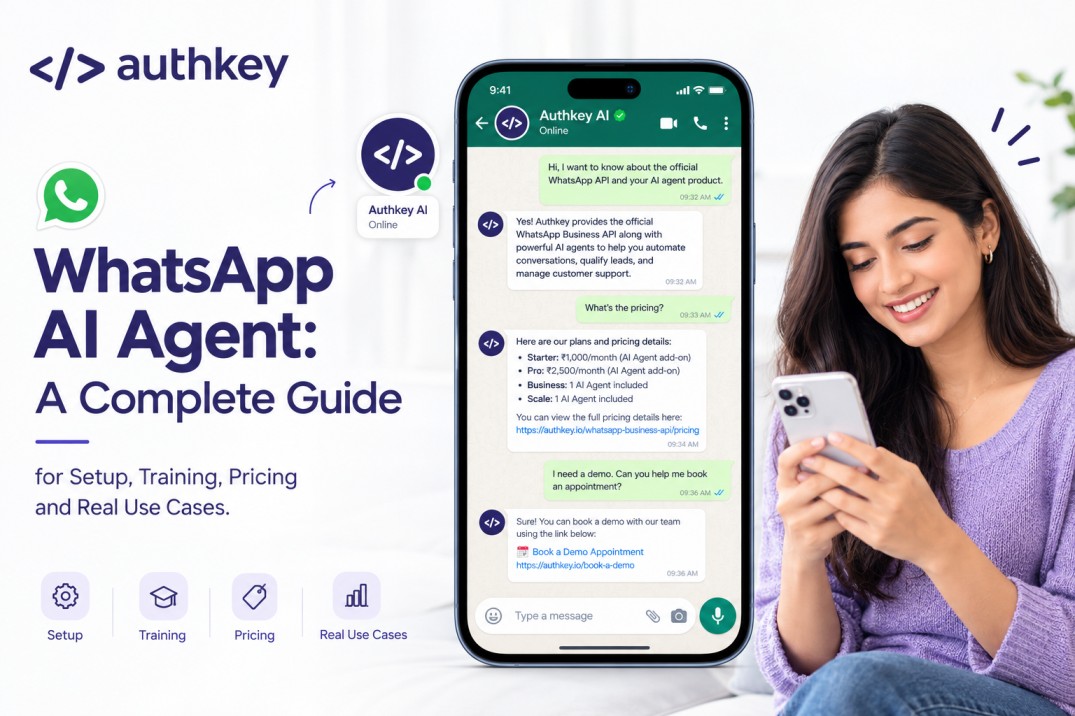
A traditional chatbot on whatsapp was a revolution in the back. It could catch the matching keywords and respond accordingly.
Now the AI on WhatsApp makes it a next level tool that understands the intent of incoming messages and replies appropriately.
For example, customer messages, “ Do you have the blue sofa in stock and what would be right for my room size of 20x24sqft.
A traditional chatbot would only catch one part of that message, maybe just “sofa,” and reply with a generic product list.
But in the case of an AI Agent, it would check the sofa availability and check for the dimensions of the sofa according to the correct match.
An AI agent would answer the inquiry to fill both the intent as Sofa availability and room match.
Lets understand everything about the WhatsApp AI Agent in the next section.
What Is a WhatsApp AI Agent?
WhatsApp AI Agent is a chat auto responder built on Large Language Models (LLMs) that connects number on the official WhatsApp Business API. An AI Agent understands the intent of incoming text messages and responds like a real team member.
AI Agent Training: Businesses need to guide or give the tutorial text about the products, services, pricing, process, Appointment booking. This can be done with uploading the business text, pdfs, URLs etc.
After a perfect training / uploading the documents, an AI agent can automate conversations across sales, customer support, lead qualification, appointment booking and other business processes.
Authkey’s AI Agent can:
Handle open-ended conversations: Authkey lets the business train its AI agent according to its product services and pricing model. There is no fixed trigger or keywords needed to make it active. It understands the intent of coming up with messages.
Complete real business tasks: The AI Agent can do the regular tasks on automation like replies to customer queries, answering support FAQs, lead qualification, appointment/meeting schedules, etc.
Hand off to a human when needed: If a chat goes out of scope or a person is looking to chat deliberately with the human agent, then the agent gets itself out and moves the conversation to the human agent.
How Does a WhatsApp AI Agent Work?
An AI Agent on WhatsApp works in the chat conversation. In Authkey, it works in a whatsapp CRM (team shared inbox) on the WhatsApp business API number. So, when a customer messages, the AI agent handles the conversation.
In Authkey, it works in simple steps:
Customer Message comes in → Understand Intent → Retrieve Knowledge → Respond → Take Action → Move Conversation Forward
1. Understand Customer Intent
The prospect found your business number to initiate the chat for product inquiry. The message is received in the WhatsApp CRM or so called Agent Dashboard enabled with AI agent.
The first thing is to identify the intent of the message received.
Is it a general inquiry asking about a product or an existing customer for support?
The built in machine learning algorithms enable it to understand the intent of the message. It asks some relevant questions, till the purpose of chat is found and takes the conversation to fulfill successfully.
2. Retrieve Relevant Knowledge
Once the intent of the received message is understood, the AI agent uses the provided business knowledgebase to give highly relevant answers.
In Authkey’s AI Agent, business can upload its information using text, urls, pdfs, etc. it is the step that explains AI all about the business details.
This knowledge can include:
- Product and service information
- FAQs
- Pricing
- Business policies
- Documentation
- Brochures and other uploaded content
This allows the agent to respond based on the business information rather than relying only on generic answers.
3. Qualify the Lead
The message on the WhatsApp Business number can be a big customer or a bogus time waste inquiry. The AI agent can make it filter out very easily which one is useful or not.
The Authkey’s AI Agent can ask relevant questions to understand the prospect and determine their intent. It can classify leads by asking natural screening questions and route them according to their status, such as HOT, COLD, Follow-up, or Junk in WhatsApp CRM.
4. Route Conversations Through Pipelines
Unlike chatbots, the AI agent understands the full conversation. Based on the intent, the AI agent can segment the conversation route.
Authkey’s WhatsApp Agent dashboard provides you an advanced feature to pipeline the inquiries based on its intent. The conversation can be placed into the appropriate pipeline and stage.
This helps businesses organize incoming conversations and track each prospect in the sales process.
5. Workflows
Authkey’s AI Agent can work within the design workflows. It can trigger the specific task within going chats.
1. For example
Anonymous: Hi, I want to send whatsApp marketing. How can I start?
Agent: Would You like to Create account with Authkey
Anonymous: Yes
Agent: Please give me Your Email and Phone Number.
Anonymous: 8825…XXXX , and pankaj____@xxxx.com
Agent: Your account successfully created. Login Details have been sent on the email.
Anonymous: Thanks.
2. For Example
Anonymous: Hi, do you provide official Whatsapp API
Agent: Yes, Authkey is a Meta Tech Partner, we provides official WhatsApp API
Anonymous: oh thanks, How can I start? Can You give me a demo?
Agent: Yes, When will be the right time for a demo. Please give me your Email address.
Anonymous: tomorrow 3 o’clock in noon. pankaj____@xxxx.com
Agent: Right. Your appointment has been booked for a live demo. Prince will contact you soon. A connecting link has been sent to your email.
Anonymous:. Thanks alot.
The Authkey’s AI Agent can do these tasks.
- Start a sales or support workflow
- Book an appointment or demo
- Create a support ticket
- Share relevant information or links
- Trigger connected business actions
In this section we have earnt about the working of an AI agent on WhatsApp. But how to start with AI Agent on WhatsApp?
Still confusing, don’t be. In the next section we will learn to setup overview of AI Agent in the Authkey customer dashboad.
How to Set Up a WhatsApp AI Agent with Authkey?
Getting started with the AI agent on WhatsApp is quick and easy to do. Here we will discuss the straightforward steps to activate the Authkey’s AI Agent on WhatsApp CRM. In this section we will cover all from creating an Authkey account to AI agent conversation. Let’s go through every step.
Step 1: Create Your Authkey Account & Set Up WABA
Create an Authkey account by simple signup. Create an Authkey Account here.
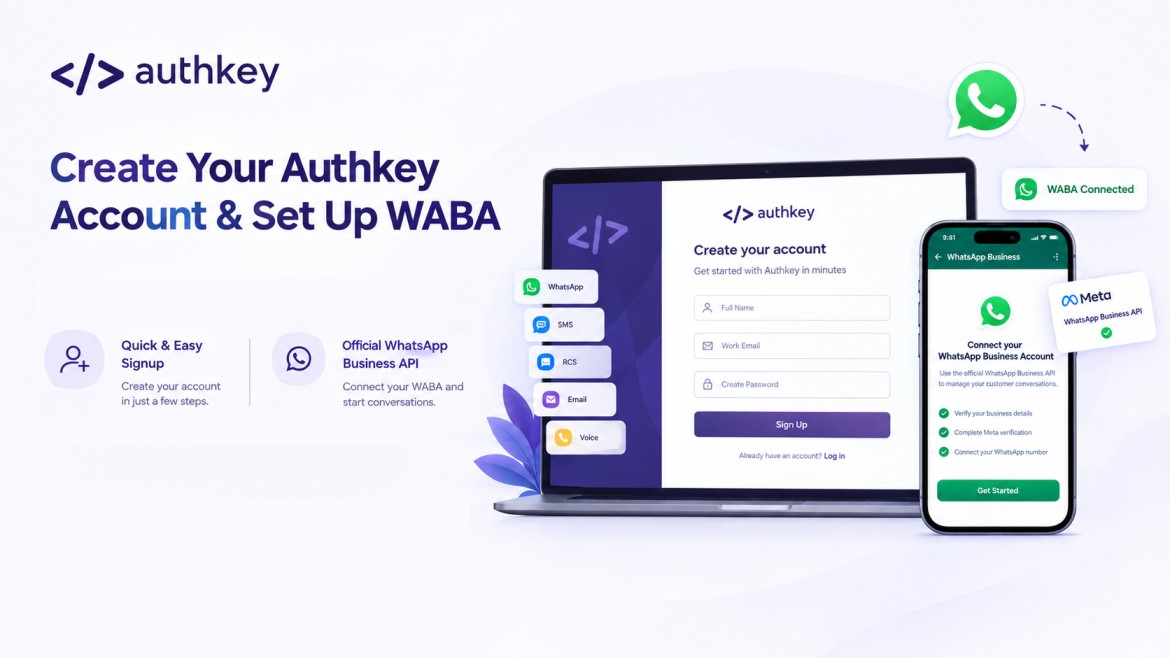
WhatsApp AI Agent works on the official WhatsApp Business API. Connect your WhatsApp Business Account (WABA), if you do not have, get WhatsApp Business API onboarding here. Activate AI agent in your WhatsApp CRM / Agent inbox.
Step 2: Add Your Knowledge Base
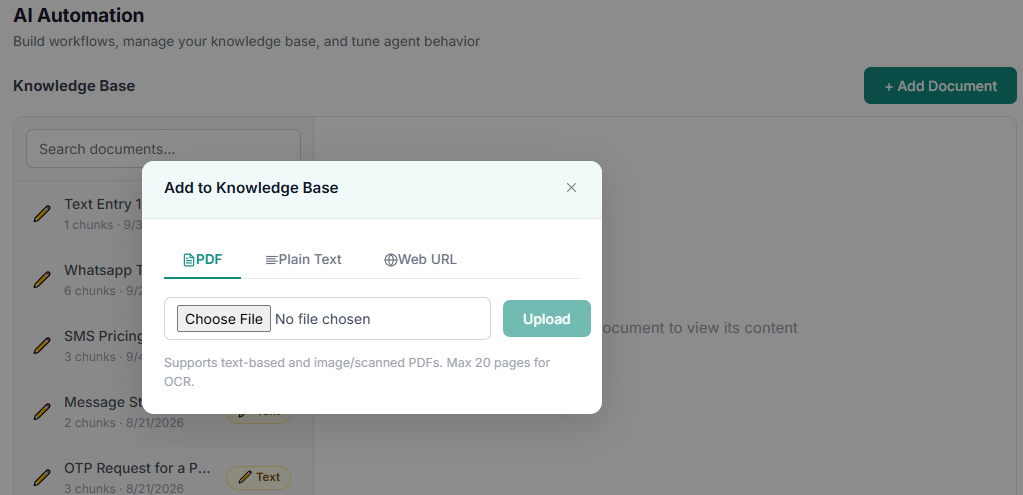
This is most important to provide detailed business information. It is recommended to provide short and concise information. Business should explain all the details of products, pricing, business model, pricing plans explained, freebies, FAQs, etc.
Businesses can add details to knowledgebase by simple uploading the doc files, copy paste text, pdfs, URLs and more.
This knowledgebase will act as a brain and memory to your AI agent in WhatsApp CRM chats.
Step 3: Configure AI Behavior
This will decide the nature and tone of the AI agent. Control how your AI Agent communicates and responds.
In this, business can assign the tone, response rules, prompts, etc. It will control the chats, agent’s persona, tone, language, KB-Only Mode- answers only from your knowledge base, raising tickets, setting a conversation expiry and more.
Step 4: Build Workflows
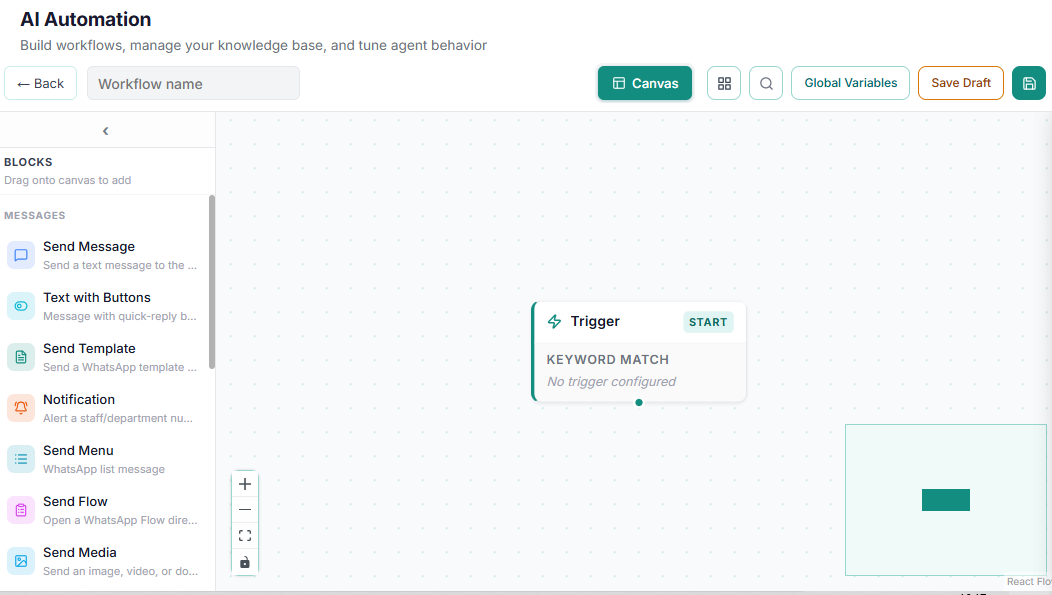
Build drag and drop workflows for the sales, lead qualification, appointment booking or recurring interactions.
This is so simple to do. No code experience required. Businesses can set the workflows for recurring tasks.
Step 5: Set Up Triggers
Within the workflows, you can define particular keywords or intents where an AI agent can take place and handle the rest. You can send the chat to a particular human agent at a particular trigger. You can setup keywords on which specific task like appointment booking, demo links can be sent to customers within the chat.
Step 6: Configure Lead Qualification
Teach AI to arrange the incoming inquiries to the particular status.
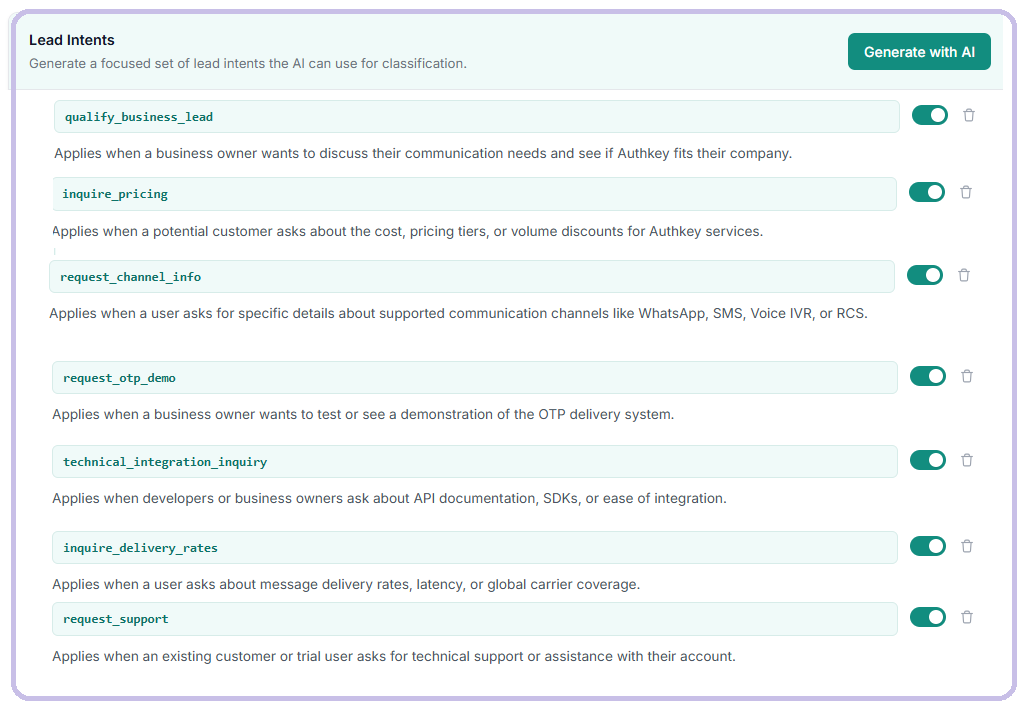
Like
- if a customer in chat said I will let you know by Monday. I will connect with you soon. Put it in the Follow up.
- If a customer booked a live demo, put it in Demo Booked
Configure the workflow to ask the relevant questions based on the customer’s response. It will help agent to identify their requirement and its intent
Define specific lead intents such as:
- Qualify Business Lead — Understand the prospect’s business and requirements.
- Inquire Pricing — Identify customers looking for plans, pricing or quotes.
- Request Channel Info — Understand which communication channel the customer needs.
- Request Demo — Identify prospects interested in a product demo or meeting.
Once the AI Agent knows the intent, it can qualify the conversation and route it to the appropriate pipeline or workflow.
Step 7: Pipelines
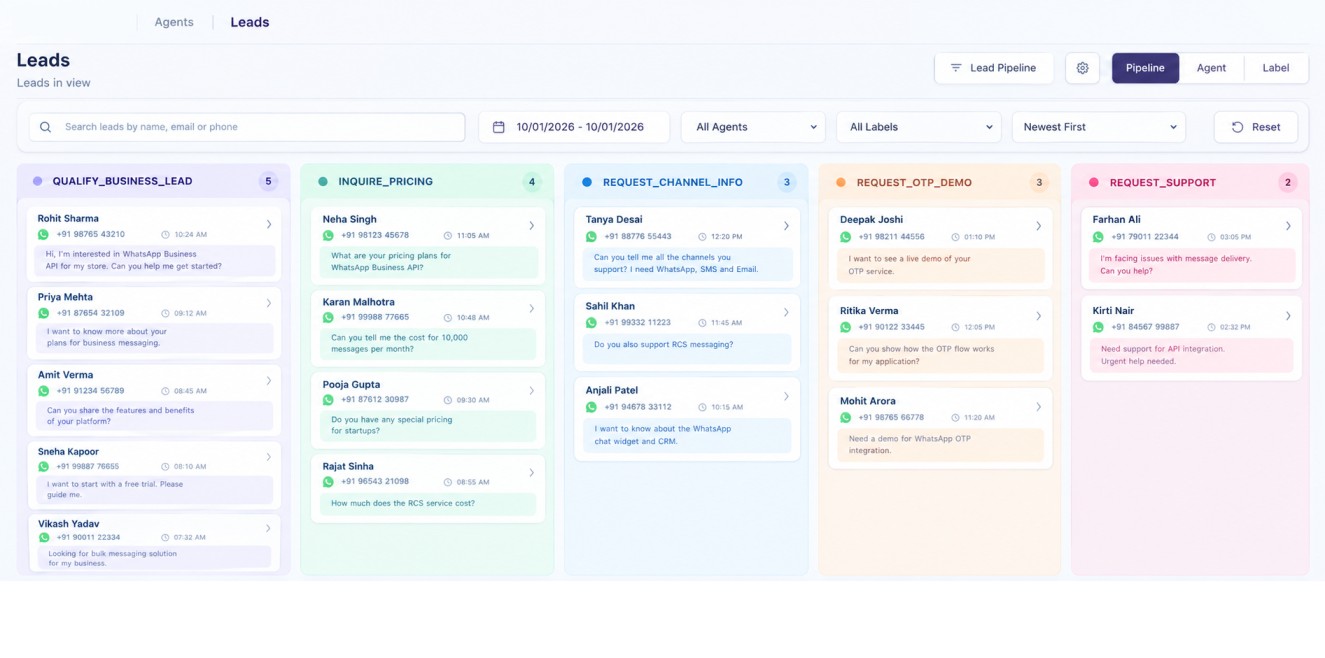
Pipeline is a view of lead qualification. It organizes qualified leads into column based views. Based on lead qualification, the AI agent classifies chats by intent and arranges them into the right segment. This helps the human follow up team understand leads quickly.
Step 8: Test Your AI Agent
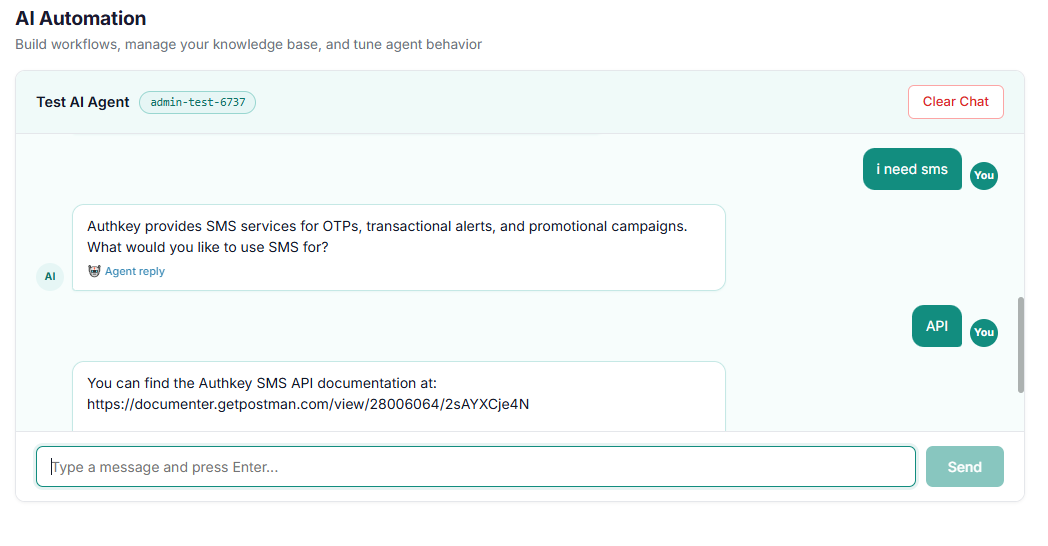
After setting up all the above steps, last is to test the AI agent before going live. You can run this testing directly in this section. Test it as a customer would, asking real scenario based questions. Have different team members ask cross questions and test workflows, follow ups, demo bookings, and appointment bookings. Testing thoroughly here is similar to doing acceptance testing. Check that triggers fire correctly and the right workflows run.
WhatsApp AI Agent vs Traditional WhatsApp Chatbot
WhatsApp Chatbot was an automation tool that was a big automation tool 2-3 years ago. It is particularly useful for fixed automation that detects particular keywords in the chat and triggers its tasks and workflows.
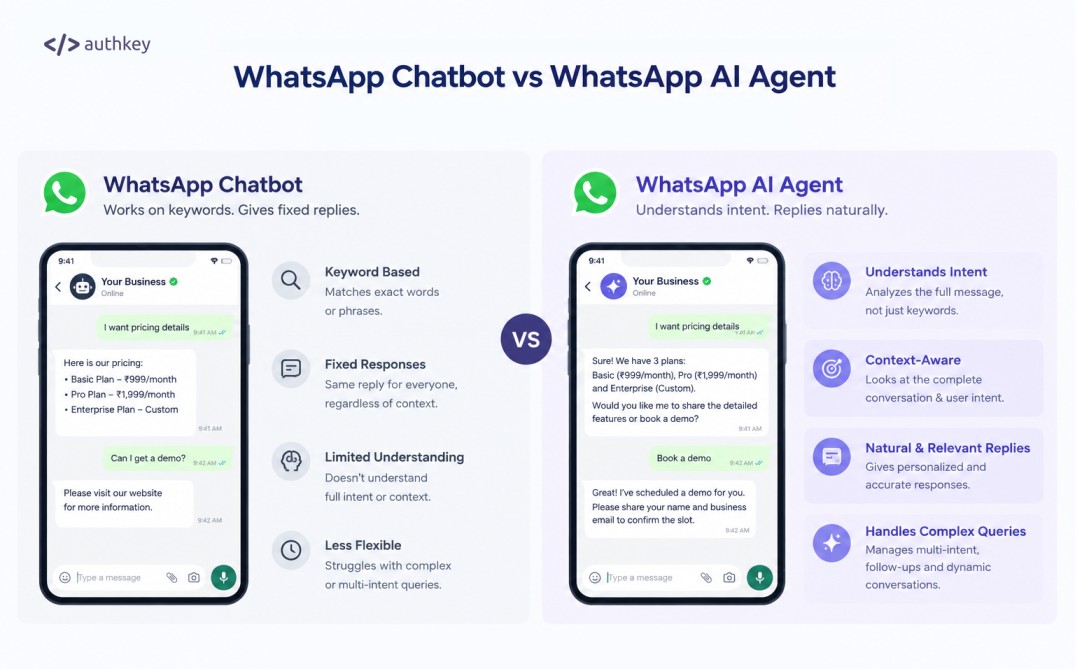
But now the AI platform has covered all the tools and automation. Same happened with the WhatsApp Chats.
WhatsApp AI Agent is a tool that particularly replaces most of the human oriented chats on WhatsApp whether its sale or customer support. It understands the intent of the chat and replies accordingly. It does not work on particular keywords or fixed replies.
Lets understand everything in simple ways.
| Traditional WhatsApp Chatbot | WhatsApp AI Agent |
| Follows predefined conversation flows | Understands customer intent and context |
| Relies on buttons, keywords, and rules | Understands intent of incoming chats |
| Provides predefined responses | Generates relevant responses using business knowledgebase |
| Best suited for simple, repetitive queries | Handles dynamic sales and support conversations |
| Follows fixed conversation paths | Adapts the conversation based on customer responses |
| Basic lead capture | Can qualify leads by asking relevant questions |
| Triggers predefined actions | Can trigger workflows based on intent and conversation context |
| Requires separate flows for different scenarios | Can handle different ways of expressing the same requirement |
What Can a WhatsApp AI Agent Do?
A business can include an AI agent to chat with the inquiries coming on the WhatsApp Business API number. This can be done through Authkey’s WhatsApp CRM to automate sales and customer support. Businesses can automate customer conversations from the first message to the next business action.
There is no limit to the work that an AI agent can do. The agent can understand customer intent, use your business knowledge, qualify leads, trigger workflows and help customers complete tasks directly on WhatsApp. These are the features that businesses are using to make the workflows easy. As well as AI Agent makes the task so smooth without the need of human agent. This can work independently 24×7.
Lead Qualification or Filteration
In Authkey’s WhatsApp CRM, businesses can set up their Lead Intents.
Businesses can set its different flags, so that it understands the chat and put them in a particular pipeline.
Authkey’s AI Agent can identify what a prospect is looking for and ask relevant questions to understand their business requirements.
Based on the chat messages, it understands the intent then asks the relevant questions according to the workflows. It will understand the conversions and move the chat into its appropriate pipeline.
This will help lead to segregation in the first stage itself.
For Example
| Qualified_lead– Applies when the requirement of business is fulfilled and willing to create an account to start services. | Pricing_Asked– Applies when a potential customer asks about the cost, pricing tiers, or volume discounts for Authkey services. But not yet started | Requested_demo– Applies when a business wants to test or see a demonstration of the required API services. |