
WhatsApp is everyone’s favorite messaging app. And now, it’s becoming a favorite for businesses too. Instead of relying on traditional SMS, many businesses are switching to WhatsApp because messages are delivered instantly and it’s easy to see when a message is sent, delivered, or read.
With billions of people already using WhatsApp every day, businesses can reach their customers where they’re most active. There’s no need for customers to download a new app or learn something new. From small startups to big business brands, companies are using WhatsApp to send automated messages and stay connected with their customers in a fast, simple and reliable way.
Transactional messages help businesses stay connected with customers at every important step. These messages are sent automatically when a customer takes an action, such as requesting an OTP, placing an order, making a payment, or tracking a delivery.
Unlike promotional messages, transactional messages are time-sensitive and meant to share important information. They play a key role in improving the overall customer experience by keeping customers informed in real time.
When sent through WhatsApp, transactional messages are delivered faster, opened more quickly and feel more reliable compared to traditional channels like SMS and email.
Let discuss the transactional messages on WhatsApp in detail in the next section.
What is a Transactional Message on WhatsApp?
Transactional messages are automatic messages sent when a customer takes a specific action. The main goal of these messages is to share important information that helps customers complete a task or stay updated. With Authkey, businesses can send all types of transactional messages such as alerts, confirmations, OTPs, banking notifications and more.
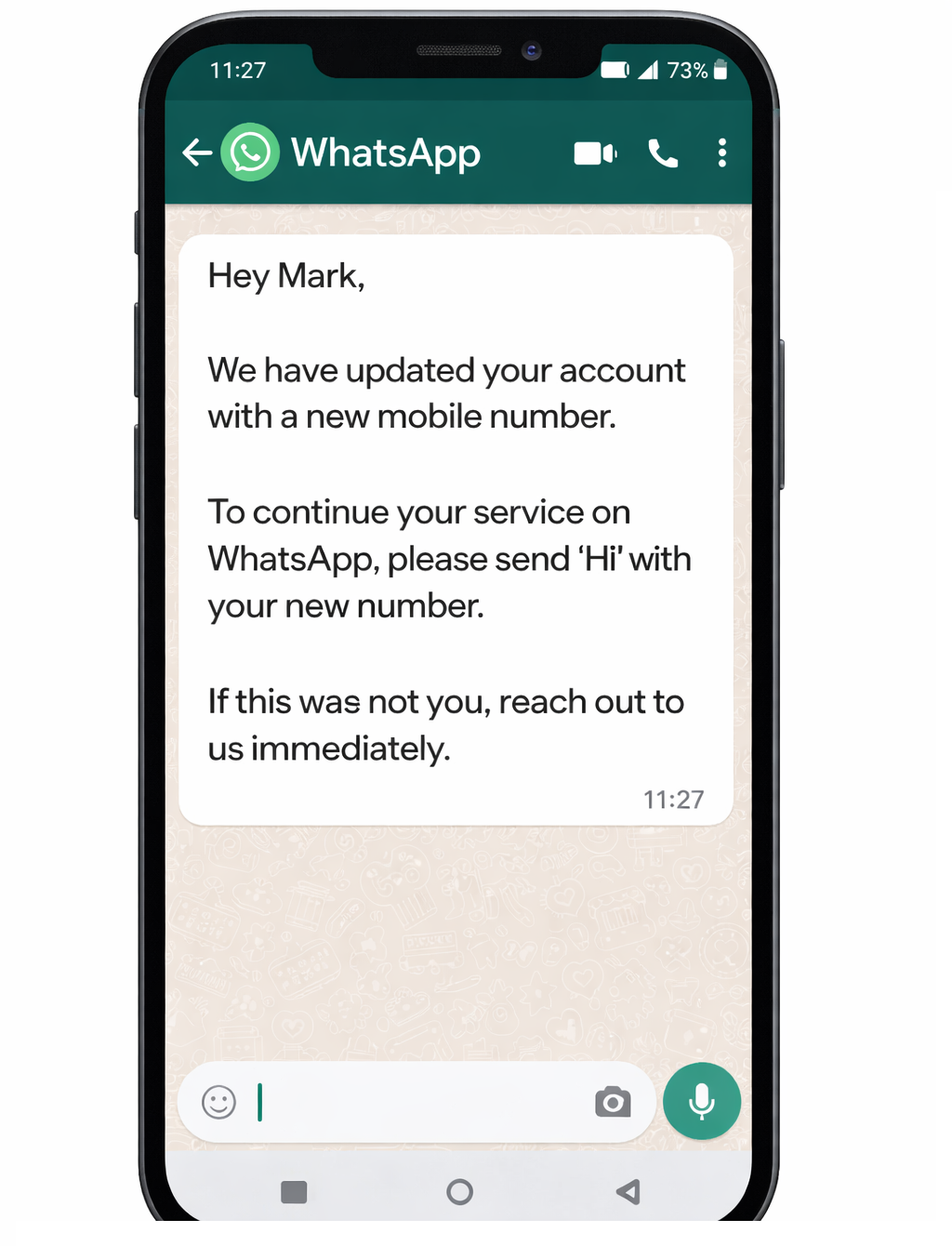
These messages are not promotional and are not meant to sell products or services. Their focus is purely on delivering useful and relevant information. However, in some cases, messages that look similar to transactional messages are used for promotions. For example, abandoned cart messages are sent to remind customers about pending purchases and may include discounts to encourage them to complete the order.
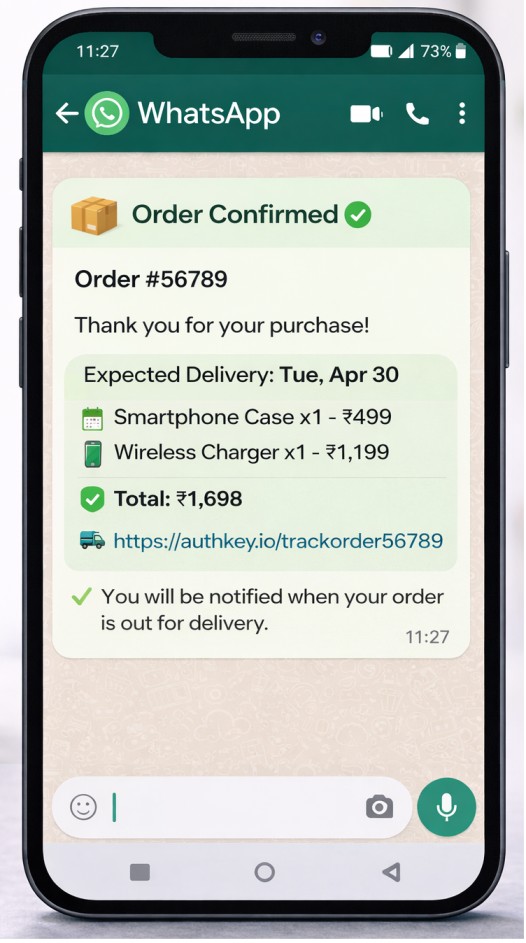
Transactional messages are designed to deliver value through timely updates like confirmations, alerts and notifications. Using Authkey’s WhatsApp Transactional API, these messages are delivered instantly and reliably. All transactional messages are sent using pre-approved WhatsApp message templates to ensure compliance and smooth delivery.
Most transactional messages are time-sensitive and need to be delivered as quickly as possible to be effective. For example, an OTP sent during signup, or a banking alert after a transaction, must reach the customer instantly. These messages are triggered by user actions such as signup, login, payment, order placement, or appointment booking. They focus on completing a specific task rather than marketing.
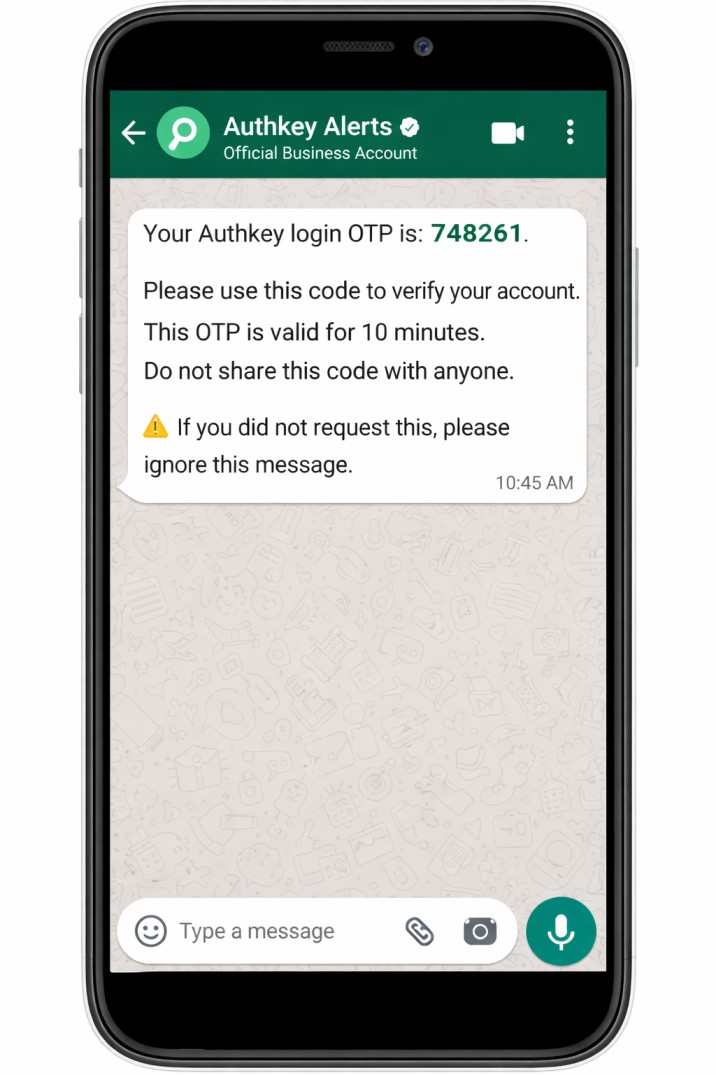
Because of their importance, customers expect these messages and trust them as a reliable way to receive critical updates. Authkey specializes in fast and dependable message delivery. In fact, Authkey was originally built to handle high-priority communications like OTPs, ensuring they reach customers on time—every time.
Read More: WhatsApp AI Bot: The Complete Guide (2025)
Transactional and Promotional messages
Understanding the difference between transactional and promotional messages is very important when using WhatsApp for business, especially when sending messages through a trusted platform like Authkey. Transactional messages are sent to share essential information and are directly linked to an action the customer has already taken, such as signing up, placing an order, or making a payment. These messages are expected by customers and help them stay informed in real time.
Read more: WhatsApp Marketing Explained: WhatsApp Onboarding, Template Creation and Launch Campaign.
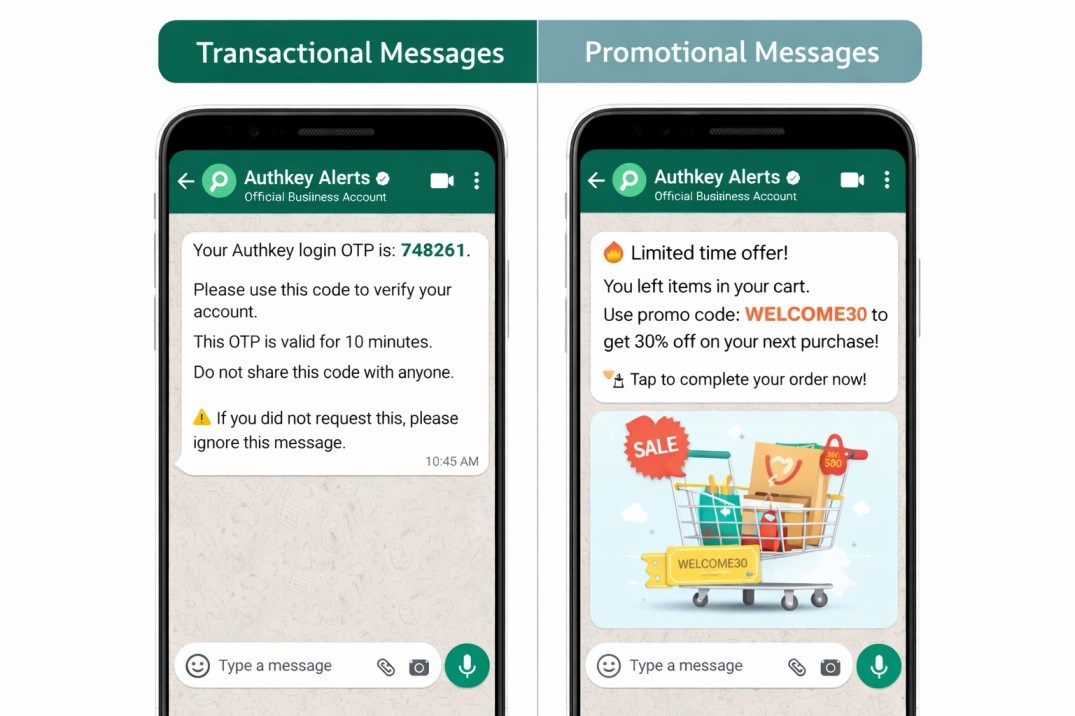
Mixing promotional content into transactional messages can confuse customers and lead to a poor experience. It may also violate WhatsApp’s messaging policies, which can result in message rejection or account issues. Authkey helps businesses stay compliant by ensuring that transactional and promotional messages are sent using the correct message templates and categories.
Some of the most common transactional messages sent using Authkey include OTPs for login or verification, order confirmation messages, payment success or failure alerts and delivery tracking updates. Businesses also use Authkey to send appointment reminders, booking confirmations and account security alerts. These messages keep customers informed at every stage and help build trust through clear, timely and reliable communication.
Read more: The Ultimate Guide to RCS Business Messaging in India (2025 Edition)
WhatsApp Transactional Message API
WhatsApp Transactional messaging API
The WhatsApp Transactional API is a piece of code that integrates into customer’s software. Once integrated with a business’s system, the API works in the background to deliver messages instantly and reliably. It adds the capability to automatically send real-time, event-based messages on WhatsApp. These messages are triggered by specific user actions and are commonly used for order confirmations, password resets, OTPs, alerts and other important notifications.
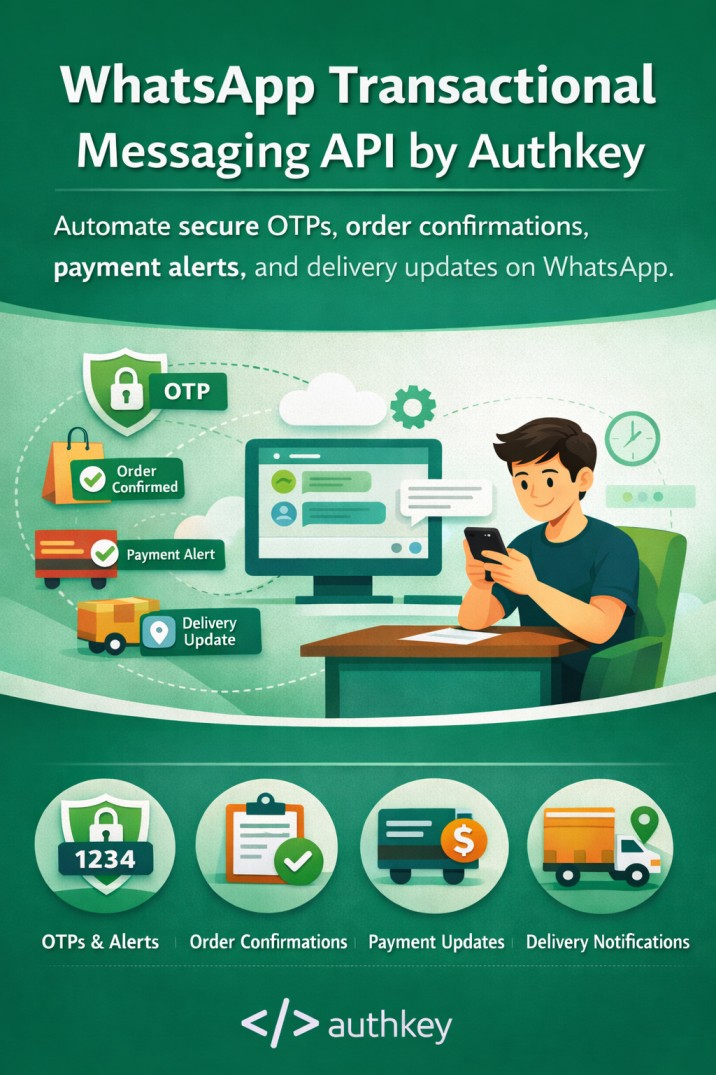
The WhatsApp Transactional API is provided by official WhatsApp Business Solution Providers (BSPs) like Authkey. Authkey enables businesses to send automated and system-generated transactional messages on WhatsApp. This makes it easy for businesses to communicate critical updates without manual effort.
Read more: Why is WhatsApp Business API Compulsory for Businesses in 2026?
Unlike the WhatsApp Business App, which is designed for small businesses and manual messaging, the WhatsApp API is built for medium to large businesses that require automation, high message volumes and seamless system integrations. With Authkey’s WhatsApp API, businesses can easily connect their websites, apps, or internal systems and send transactional messages at scale with speed, reliability and security.
Read more: WhatsApp Ecommerce Store: What It Is and How to Use It for Your Business?
Message templates and approval process
A WhatsApp message template is a pre-defined message format that is already submitted to Meta and approved before it can be used. An official WhatsApp API allows the Meta approved templates to send to customers.
Templates can include placeholders for dynamic data such as customer name, order ID, OTP, or delivery status. Authkey’s WhatsApp Dashboard has a built-in WhatsApp template approval system. Authkey simplifies the template creation and approval process, helping businesses get their transactional templates approved quickly and use them without technical complexity.
Read more: WhatsApp Chat Button: How to Add a Chat Button to Your Website?
Role of WhatsApp BSPs
WhatsApp BSPs (Business Solution Providers) play an important role in helping businesses use the WhatsApp Business Platform API. They act as a bridge between WhatsApp and businesses by making it easier to access the API, complete onboarding and stay compliant with WhatsApp’s policies. Authkey is an official WhatsApp partner authorized to provide API access, manage approvals and support businesses throughout the setup process.
As an official WhatsApp API solution provider, Authkey helps businesses set up their WhatsApp API account quickly and smoothly. From creating and managing message templates to ensuring policy compliance, Authkey takes care of all the technical details. This allows businesses to focus on their core operations while transactional messages are delivered reliably and on time.
Authkey (BSP) provides a dedicated dashboard that businesses can use to manage their daily messaging activities. Through this dashboard, companies can access customizable APIs, track message delivery, view live analytics and use features tailored to their needs. Unlike Meta’s WhatsApp Cloud API, BSPs like Authkey also offer premium customer support, ensuring help is available whenever it’s needed.
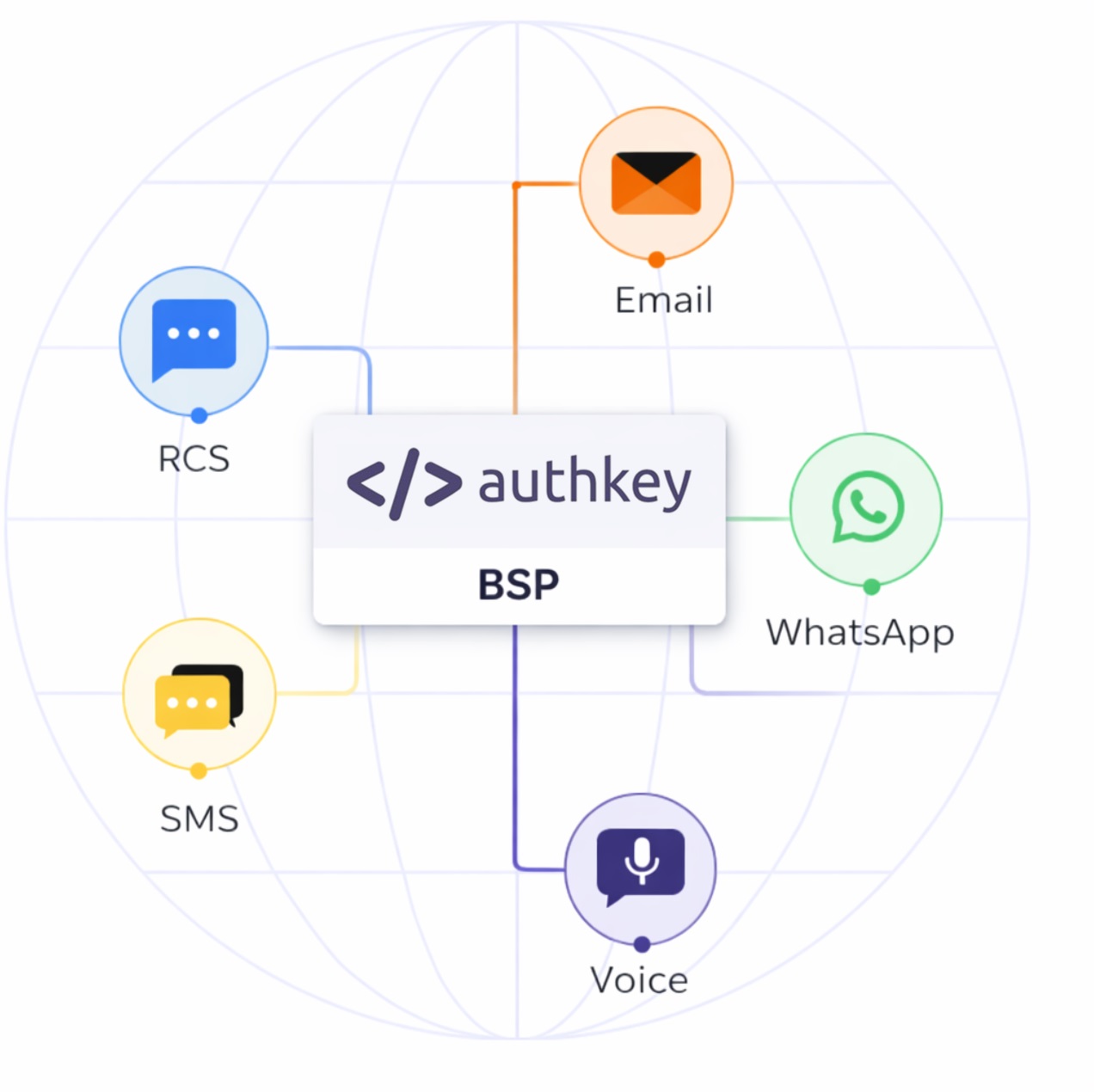
Overall, BSPs play a critical role in enabling effective WhatsApp Business messaging. With Authkey, businesses get a personalized WhatsApp account where they can manage transactional messages, marketing campaigns and chatbots all from easy-to-use platform.
Read more: All-in-One WhatsApp CRM by Authkey: Automate, Manage, Convert
Getting Started with Transactional Messages on WhatsApp
Sending transactional messages on WhatsApp becomes easy when you follow the right steps. Below is a simple breakdown of how businesses can get started and start sending messages smoothly.
Choose a WhatsApp API Provider
Businesses can use the official WhatsApp Business API in two main ways.
The first option is using Meta’s WhatsApp Cloud API directly. This approach is usually suitable only if you have a dedicated development team. The APIs and dashboard can be complex and everything from setup to analytics and maintenance needs to be built and managed in-house. For many businesses, this can be time-consuming and difficult to maintain.
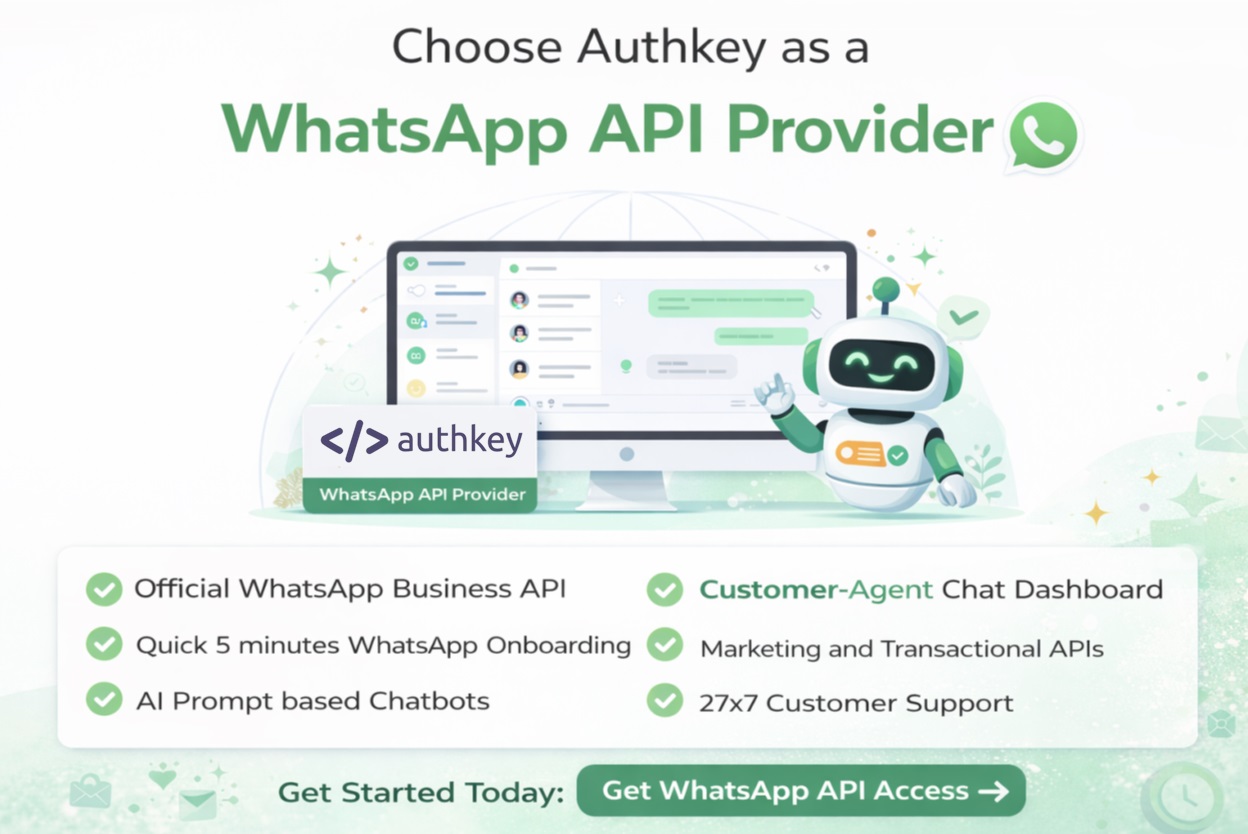
The second more preferred option is to use an official WhatsApp Business Solution Provider (BSP) like Authkey. BSPs offer official access to the WhatsApp API and take care of the technical setup, policy compliance and approval processes. Choosing the right provider helps businesses get started faster, ensures reliable message delivery, and provides ongoing support.
Authkey simplifies the entire process by handling all the complex tasks behind the scenes. It offers personalized features, ready-to-use APIs, complete webhook support, and detailed analytical reports tailored to business needs. This allows businesses to focus on growth while Authkey manages the technical and operational side of WhatsApp messaging.
Read more: WhatsApp QR Widget: Turn Offline Touchpoints into Real-Time WhatsApp Leads
WhatsApp Business Account (Onboarding)
Once you choose Authkey as your WhatsApp API provider, the next step is onboarding your WhatsApp Business Account. Authkey offers a built-in onboarding process directly within its dashboard, making it easy for businesses to get started. In most cases, you can create and activate your official WhatsApp Business Account (WABA) in just 5 minutes.
To complete the onboarding, you’ll need a few basic details such as your website, a phone number, a Facebook Business Page, and valid business documents. The setup process includes verifying your business with Meta, registering your phone number, and creating your WhatsApp Business profile.
Authkey guides you through each step of the onboarding process, ensuring everything is completed smoothly and without confusion. Even if you don’t have technical knowledge, the process remains quick, simple, and completely hassle-free.
Create and Submit Message Templates
The WhatsApp Business API allows businesses to send only Meta-approved message templates. After successfully setting up your WhatsApp Business Account (WABA), the next step is to create message templates inside the Authkey dashboard.
All transactional messages on WhatsApp must be sent using pre-approved templates—otherwise, the message will not be delivered. While creating a template, you can add text along with variables, also called placeholders, for dynamic details such as customer name, OTP, order ID, date, or amount.
Once the templates are created, they are submitted to WhatsApp for approval. After approval, these templates can be reused anytime to send automated transactional messages quickly and reliably.
Integrate WhatsApp API
After your WhatsApp account and message templates are ready, the next step is integrating the WhatsApp API with your system. This integration allows transactional messages to be sent automatically when specific events occur.
Authkey provides a reliable transactional messaging API that can be easily connected to your backend system. The API supports both GET and POST methods and works with any programming language. Since this part is mainly handled by developers, we won’t go into technical details here.
The transactional API can be integrated with your website, mobile app, CRM, ERP, or any backend system. Once integrated, messages are triggered automatically based on customer actions, such as signups, payments, orders, or bookings. BSPs like Authkey simplify this entire process by offering easy-to-use APIs, clear documentation, and dedicated support.
Read more: Convert Website Visitors into Leads Instantly
Trigger Transactional Messages
Once the API integration is complete, transactional messages are triggered automatically whenever a specific action takes place. As soon as the system executes the API, the message is sent without any manual effort.
For example, messages are triggered when a customer signs up, logs in, makes a payment, places an order, or books an appointment. These real-time triggers ensure customers receive important and relevant updates exactly when they need them, helping businesses deliver a smooth and reliable customer experience.
Use Cases of Transactional Messages
Transactional messages are used across different industries to share important updates with customers in real time. You can use the Authkey API to trigger any use case of WhatsApp transactional messages. Below are some of the most common and practical use cases.
Deliver OTP on WhatsApp
Sending OTPs on WhatsApp is one of the most common and effective uses of transactional messaging. OTP messages are automatically triggered when a user signs up, logs in, or performs any sensitive action that requires verification. Authkey OTP API is enabled with fallback feature. It automatically sends the WhatsApp message and keeps the secondary route as SMS in case of WhatsApp delivery failure.
These messages help confirm the user’s identity and add an extra layer of security to the process. WhatsApp OTPs are time-sensitive and need to be delivered instantly, WhatsApp works perfectly for this purpose. Messages are delivered in real time and are usually opened within seconds, making WhatsApp a fast and reliable channel for OTP delivery.
Send Order and Payment Updates
WhatsApp transactional messages are commonly used to send order and payment updates to customers. By integrating Authkey’s transactional API at each stage of the order process, businesses can automatically share updates throughout the entire order journey.
From order placement to payment confirmation, messages are sent in real time with important details such as order ID, amount paid, and payment status. For example, when a customer places an order or completes a payment, an instant confirmation message is delivered on WhatsApp.
These timely updates reassure customers that their transaction was successful and help reduce unnecessary support requests, creating a smoother and more transparent customer experience.
Delivery Confirmations
Delivery and shipping updates help customers stay informed about their orders at every step. Transactional messages can be automatically triggered when an order is shipped, goes out for delivery, or is successfully delivered.
By sharing real-time delivery updates on WhatsApp, businesses keep communication clear and transparent. Customers always know where their order is, which builds trust, reduces delivery-related queries, and improves the overall shopping experience.
Account and Security Alerts
Authkey makes it easy for businesses to send important accounts and security alerts through WhatsApp. These transactional messages are used to notify customers about password changes, suspicious login attempts, profile updates, or banking and account-related transactions.
With Authkey’s WhatsApp Transactional API, these alerts are delivered instantly, helping customers stay informed and take quick action if anything unusual happens. Since security messages are time-sensitive and critical, WhatsApp becomes a reliable and trusted channel for sharing such updates and protecting customer accounts.
WhatsApp Transactional Pricing (Updated & Simple)
WhatsApp now charges businesses per message template sent. This means every approved transactional message is charged individually. Such as an OTP, order confirmation or payment.
A successful WhatsApp message delivery is counted as one message and billed accordingly. This makes pricing straightforward.
Businesses pay only for the messages they send. This makes Authkey a cost-effective and hassle-free solution for WhatsApp transactional messaging.
Transactional (Utility) Message Charges
Transactional messages are categorized as Utility message templates on WhatsApp. These messages include important updates such as OTPs, order confirmations, delivery notifications, payment alerts, and account-related messages.
Authkey keeps WhatsApp pricing simple and transparent at ₹0.15 per message. There are no monthly platform fees, no API charges and no hidden markups.
Utility messages are usually more affordable than promotional messages because they are service-based and expected by customers.
Read more: WhatsApp API Messaging Pricing Updated (Expected January 1, 2026)
What Affects the Cost?
The cost of WhatsApp transactional messages depends on a few key factors:
- Customer’s country – Message charges vary by country
- Number of template messages sent – More messages mean higher usage
- Type of template – Utility messages cost less than marketing messages
- Total message volume – Higher volumes may impact overall spend
Authkey offers transparent pricing along with detailed usage reports, making it easy for businesses to track messages, understand costs, and stay in control of their spending.
Benefits of Using WhatsApp Transactional Messages with Authkey
High Open and Read Rates
Messages sent through Authkey’s WhatsApp Transactional API reach customers on a platform they already use every day. OTPs, order updates, and alerts are usually opened within seconds, ensuring important information is never missed.
Real-Time Delivery
Authkey is built for speed and reliability. Transactional messages such as OTPs verifications, payment confirmations, and security alerts are delivered instantly, making Authkey ideal for time-critical communication.
Improved Customer Experience
With Authkey, customers receive clear and timely updates at every stage—right from signup to order delivery. This builds trust, reduces confusion, and creates a smooth, professional customer experience.
Reduced Support Workload
By automatically sending updates through WhatsApp, Authkey helps businesses reduce common customer queries related to orders, payments, and delivery status. This allows support teams to focus on more important issues while customers stay informed without needing to ask.
Conclusion
WhatsApp transactional messaging is a powerful way for businesses to share important updates with customers in real time. From OTPs and payment confirmations to delivery updates and security alerts, transactional messages help keep customers informed at every step. With Authkey, businesses can easily set up the WhatsApp Business API, create approved message templates, integrate APIs, and send messages automatically based on customer actions.
WhatsApp is ideal for transactional messaging because it offers instant delivery, high open rates, and reliable communication on a platform customers already trust and use daily. Compared to traditional channels like SMS and email, WhatsApp provides faster engagement and a better overall customer experience.
If you’re ready to simplify customer communication and deliver transactional messages without delays, start sending WhatsApp transactional messages with Authkey today. Get set up in minutes and pay only for the messages you send.